NativeWind: Tailwind CSS on React Native
23 April 2026
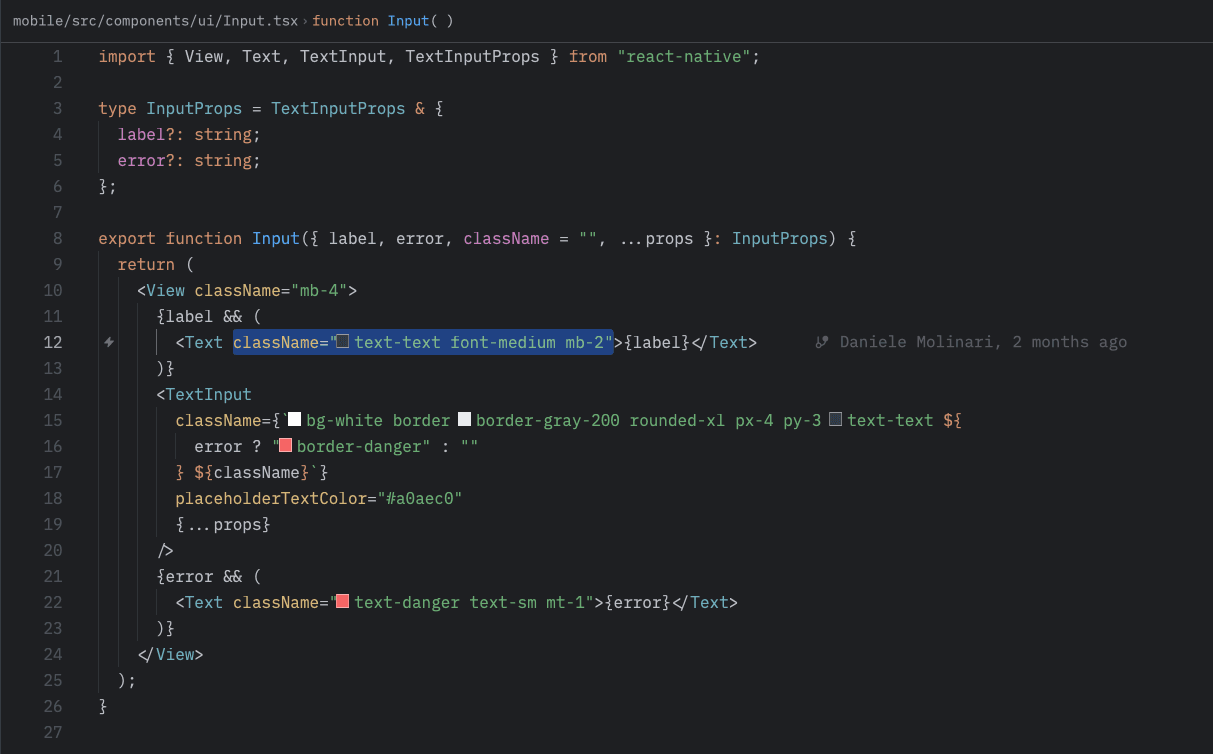
If you work with Tailwind CSS on the web and find yourself building a React Native app, NativeWind is the first thing you search for. The promise is simple: same API, same syntax, same mental model. Write className="flex-1 bg-gray-900 p-4" instead of style={{ flex: 1, backgroundColor: '#111827', padding: 16 }}.
I used it for ReD Sposi from the start, and overall the promise holds. But there are important differences worth knowing before assuming "it's Tailwind on mobile."
How It Works Under the Hood
React Native has no DOM and doesn't use CSS. Styling happens through React Native's StyleSheet API, which accepts a subset of CSS properties with some semantic differences.
NativeWind v4 — the current version, compatible with Tailwind v3 and v4 — works in two ways: compile-time and runtime. During the build, classes are analyzed and converted to React Native styles; at runtime, dynamic classes are resolved through a small CSS-in-JS engine.
The result for the developer is that you can write className directly on React Native components:
<View className="flex-1 items-center justify-center bg-zinc-950">
  <Text className="text-white text-lg font-semibold">Hello</Text>
</View>
No StyleSheet.create, no style objects, no inline styles for most cases. It's a significant noise reduction.
Where It Works Well
Flexbox layout is where NativeWind shines most, because React Native uses flexbox as its native layout system — and the mapping from Tailwind classes to React Native properties is nearly perfect.
<View className="flex-row items-center gap-3 px-4 py-3">
  <Image className="w-10 h-10 rounded-full" source={...} />
  <Text className="flex-1 text-white">{name}</Text>
</View>
Colors, typography, spacing — everything works as expected. Responsive variants exist but have a different meaning on mobile (they don't behave based on viewport width the same way), and it's better not to use them as you would on the web.
Conditional classes with clsx or cn work just like on the web:
<TouchableOpacity
  className={cn(
    "px-4 py-2 rounded-lg",
    isActive ? "bg-blue-600" : "bg-zinc-800"
  )}
>
Where You Feel the Difference
Not all CSS classes exist. Some CSS properties have no equivalent in React Native — display: grid, position: fixed, overflow: scroll in the web sense. NativeWind simply doesn't support them because React Native doesn't.
Arbitrary values are more limited. On web you can freely write w-[342px]. On React Native it works in many cases, but there are properties where units or values don't behave as expected — for example percentages in certain nested layout contexts.
shadow-* works differently. Shadows on iOS and Android have different APIs, and NativeWind's shadow-* classes try to abstract that, but the visual result isn't identical across platforms. For precise shadows, I often end up with an inline style anyway.
Dark mode tokens. NativeWind supports the dark: prefix, but requires explicit configuration to use the device's color scheme system. Not complicated, but not automatic like on the web.
The Real Advantage: Cognitive Cost Across Web and Mobile
The main benefit of NativeWind isn't writing less code. It's that I work with the same vocabulary on web and mobile.
For ReD Sposi, I have three apps looking at each other: the Expo mobile app, the Vite admin panel, and the Next.js landing page. All three use Tailwind or NativeWind. When I switch context between apps, I don't switch styling syntax. bg-zinc-950, text-white, rounded-lg mean the same thing everywhere.
This lowers the cognitive cost of context switching. It doesn't solve everything — React Native and the browser have fundamental differences that no styling library can hide — but the visual and structural part of the work becomes much more fluid.
Is It Worth It Over Inline Styles?
For a new project with Tailwind already in your head: yes, unequivocally.
For an existing project with StyleSheet.create already in use: it depends on the amount of code and willingness to migrate gradually. NativeWind can coexist with existing styles, so migration is possible incrementally.
For a team that doesn't know Tailwind: probably not. NativeWind makes sense if you're already bringing the Tailwind mental model — without that, it's one more abstraction to learn without the benefit of familiarity.
In my case, it was the right choice from the start, and I haven't looked back.